- Installs
- 100,000,000+
- Ratings
- 1,379,824
- Price
- Free
- Developer
- AI Photo Team
Screenshots

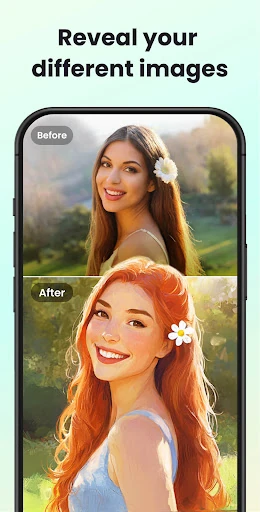
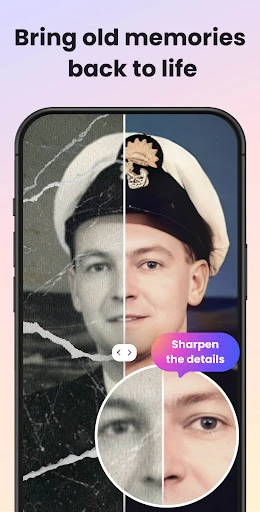
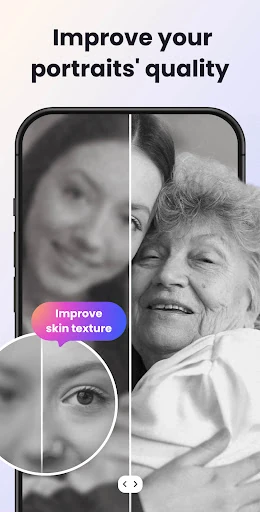
Overview
UpFoto - AI Photo Enhancer is worth trying on an Android photo where faces are still recognizable but soft, pixelated or faded: its one-tap AI is built mainly to rebuild facial detail and upscale the whole image. It is a poor match for badly torn prints, documents or distant landscapes, where there is little real detail for the app to work from.
What one-tap AI enhancement does to a blurry photo
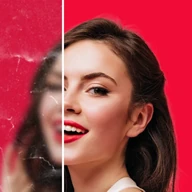
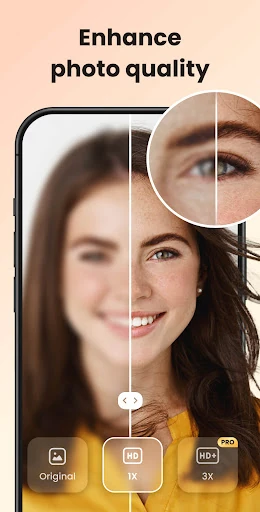
The app can detect faces, deblur an image, repair scratches and boost resolution. The important point is that it reconstructs plausible detail around the features it recognizes; it does not recover the exact pixels that were lost. An old family portrait that is slightly out of focus or heavily compressed is a good candidate. A print with a missing corner or a page of text gives the AI much less to anchor to, and the result is more likely to look cleaner than faithfully repaired.
The listing also mentions enhancement of real-time photos, but it does not describe a separate live-camera mode, so treat that as a minor extra rather than a reason to install.
Faces and group shots: where results impress and where they look artificial
Face-aware enhancement is the clearest strength. Selfies and group photos get sharper eyes, more defined skin texture and cleaner edges, which is what makes an old snapshot look presentable on a phone screen. The effect can go too far. Pushed hard, skin can look waxy and a face can drift slightly from the person you remember, especially around eyes, teeth and glasses. In group shots, results can be uneven from face to face because the app is working with different amounts of blur and light. For a family portrait, compare the enhanced version with the original at full size before deciding it is an improvement; a natural result matters more than a sharp one.
Resolution boosts: what 200–800% means for zooming and printing
The app advertises 200%, 500% and even over 800% resolution increases. These numbers describe upscaling: the image gets larger and detail is filled in, rather than information that was never captured being revealed. That can help a small photo look better when zoomed on a phone or shared at a larger size. It will not turn a soft print into a detailed large-format print. Hair, fabric and small text are where upscaling tends to show its limits, turning smooth or smeared, and higher settings can amplify noise and compression artifacts. A moderate boost is more likely to look convincing than the maximum.
Free download, in-app limits, and the real cost of regular use
UpFoto is listed as free, and its Android install base is large enough that plenty of people have tried it. That does not tell you what repeated use costs. The listing does not spell out which enhancements are unlimited, how often ads interrupt the flow, or whether the next photo, a higher upscale level or scratch repair stays free. The practical test is what happens after one restoration. Colorization, cartoon effects and extra filters are described as upcoming, so do not install the app for those today.
Photo privacy before uploading old family pictures
Before uploading old family pictures, look at the data-safety details. The Android listing says personal information and photos or videos may be collected, that data is encrypted in transit, that you can request deletion, and that no third-party sharing is stated. That is not a reason to avoid every photo, but it is a reason to think twice about sensitive images. Keep an untouched copy of the original, and try the app on a less personal photo first if you want to see the result before running a family archive through it.