- Installs
- 100,000,000+
- Ratings
- 4,187,038
- Price
- Free
- Developer
- Getverify LDA
Screenshots
Overview
Getcontact identifies unknown Android callers by matching incoming numbers against a community-contributed database and warning you about reported spam, provided you set it as your default phone app. Spam blocking is free, but viewing the tags attached to a number is tied to a premium subscription, and the app's contact-scanning model is the main privacy question to settle before installing.
How Getcontact identifies unknown callers on Android
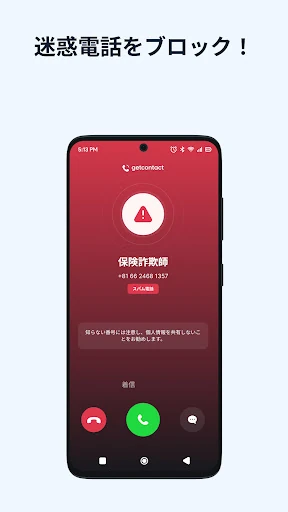
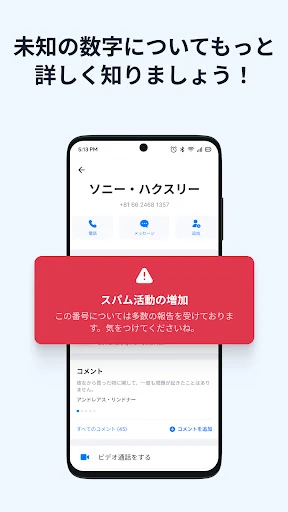
Caller ID only works while Getcontact is the default phone or dialer app. Once it handles incoming calls, it can match a number that is not in your contacts to a name, business label, or spam warning drawn from its community database. That database is the reason coverage is uneven: a number is more likely to show useful information if someone has saved or reported it, and a less-used number in your region may show little beyond the raw number. The practical benefit is a warning before you answer, not a guaranteed identity check.
The app can flag possible spam while handling calls; opening the tags attached to a number is the premium part. Treat the free warning and the paid tag view as separate features when deciding whether the app earns a place on your phone.
What changes when Getcontact becomes your default dialer and SMS app
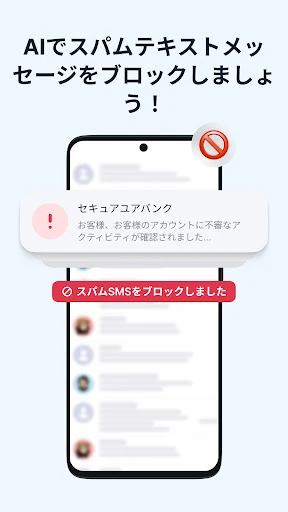
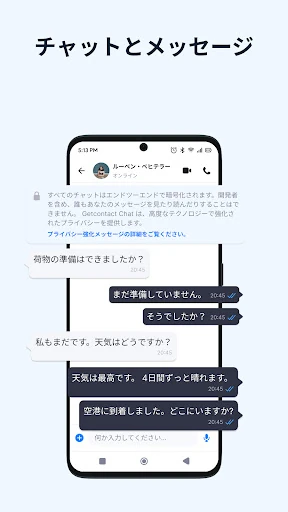
Getcontact's main protection is an all-or-nothing swap of your default apps. If you keep your current dialer, the caller-ID and spam-warning layer does not handle your calls in the same way. SMS filtering follows the same logic: to filter spam, phishing, and promotional texts automatically, you have to make Getcontact your default messaging app, which gives it access to your texts. Registration also requires a phone number you own and an internet connection, and protection is not available offline. If you are unwilling to replace either default app, the everyday benefit is much smaller than the store listing suggests.
The privacy trade-off behind the caller ID database
The database grows from contact uploads. Installing Getcontact can scan the phone's contacts and copy those contact details into its database, which is how a non-user can become searchable through someone else's install. That is the trade-off at the center of the app: the lookup is useful because it is broad, and it is broad because contact data flows into it.
Google Play's data-safety section for Getcontact lists collection of personal information and messages, along with device or other IDs, and sharing of app activity, app performance, and device IDs with third parties. It also states that data is encrypted in transit and that users can request deletion. The question to settle is not whether the app collects data—the listing makes clear it does—but whether you accept that exchange for unknown-call warnings. Do not read the listing as proof that data is sold; it describes collection and sharing, not a sales transaction.
Which extras depend on your country
Call assistant and second number are limited to selected countries. The assistant screens unknown numbers, interacts with callers, and provides insight into who is calling and why; the second number gives you an extra line for work, social media, or online transactions without another SIM. Both are useful only where Getcontact offers them. If you are outside those markets, do not include them in the value case for a subscription, and check availability before paying for a plan that you want mainly for either feature.
Free spam blocking vs. paid tags and subscriptions
The free tier covers caller identification and spam warnings. Viewing tags requires premium, and paid plans also cover enhanced features. Pricing varies by country, and payment is charged to your Google Play account with auto-renewal. To stop renewal, turn off auto-renewal at least 24 hours before the subscription expires; you can do that in Google Play account settings.
Pay only if tag viewing, the call assistant, or the second number matters in your country. The core unknown-call warning does not require a subscription, so a reader who mainly wants fewer surprise calls can start with the free layer and decide later whether the paid extras justify the recurring charge.