
- Installs
- 50,000,000+
- Ratings
- 2,282,781
- Price
- Free
- Developer
- xAI
Screenshots

Overview
Grok is worth installing on Android if you want one assistant that can answer questions with current web and X context, look at photos or PDFs you upload, talk back in voice, and generate images or short videos. It is free to install and broad enough for everyday research and creative experiments, but it needs an account, and a few account and privacy settings deserve a look before you make it your default assistant.
What Grok does with your questions, links, and uploads
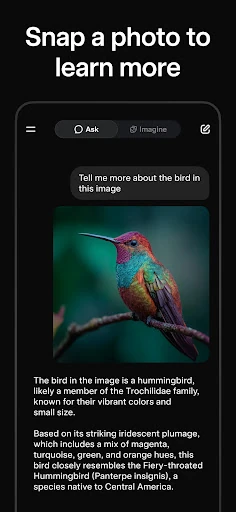
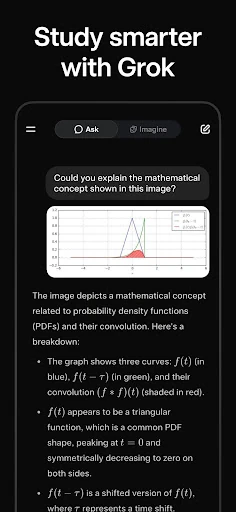
Grok is xAI's general-purpose chatbot for Android. In a single conversation it can run multi-step research on the web, work through math, science, or coding problems, and analyze documents, photos, and links you attach. That makes it more useful than a plain question-and-answer bot when you want to drop in a screenshot of an error, ask for a PDF summary, translate a menu, or get next steps from a page you are reading.
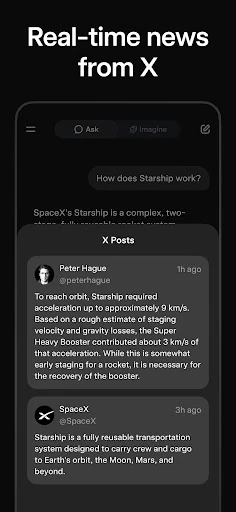
Its live web and X context is the main reason to choose Grok over a generic chatbot. It can pull in current information and run targeted searches on X to surface news, trends, and conversations happening at that moment. If you already follow a topic or community on X, this gives the assistant a timely angle that a static model cannot provide on its own.
Grok also accepts conversation context imported from ChatGPT, Claude, or Gemini, so you can continue a project without retyping the background. Treat the import as a way to carry over your material, not as a promise that the new assistant will behave exactly like the old one.
Voice conversations when you do not want to type
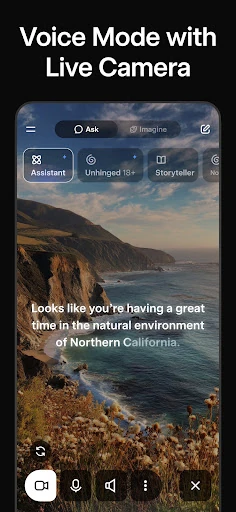
Voice Mode is built for real-time spoken replies, with different conversation styles you can choose. It also stops when you start speaking, so you can cut in and correct a question without waiting for a long answer to finish. That makes it handy for hands-free questions, quick brainstorming, or checking a fact while your hands are busy. It is less practical for working through a long document line by line.
Grok Imagine for images and short videos
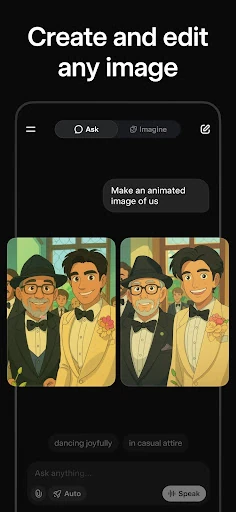
Grok Imagine turns text prompts into images, creates short videos with sound, animates a photo you supply, and accepts voice prompts. Its editing tools can remove an object, swap a background, or apply an artistic style to an existing image. These are creative extras rather than the core productivity reason to install the app. Grok becomes more compelling if you want to experiment visually alongside chat; if you only need text answers, Imagine will not change your decision much.
Account and privacy choices that affect your chats
You can sign in with an X account, a Google account, or an email address. Pick one method and stay with it, because mixing login methods creates separate accounts with separate chat histories. The standalone Grok app is also separate from Grok inside X for account management, chat history, and privacy settings; connecting X in Settings → Account can sync X membership benefits.
The app's data-safety listing says data is encrypted in transit and that you can request deletion, but photos and videos and app activity may be shared with third parties, and location or personal information may be collected. There is a training-data toggle, and chat history is kept by default and deleted manually within a conversation. Those details matter if you plan to upload work documents, screenshots containing personal data, or photos of other people. For sensitive material, review those controls before uploading rather than after.